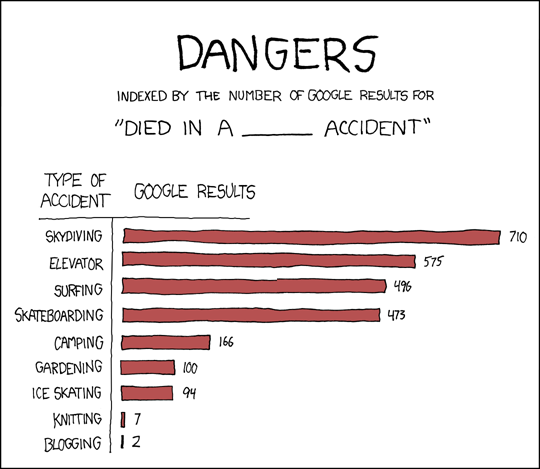
Recently there was a joke on xkcd on ways to die. The idea is that one types in ‘died in a skydving accident’, or ‘died in a snorkling accident’ and then counts the number of hits Google returns. So _of course_ I entered the >first< line of that list ‘died in a skydiving accident’ and surprisingly enough Google was so kind to directly jump to the end of the list and return an entry on ‘died in a blogging accident’. Jezz, verry funny indeed 🙂
All posts by werner
Closed Source Drivers & The Linux Community
Every time I come in contact with a closed source ‘proprietary’ driver I find that it offers me more trouble than it is worth.
NVidia
Nvidia is the kind of cooperation that pollutes the Linux community. Linux is open source, the Nvidia drivers are not. They are proprietary, which is silly in general. I buy hardware and when I buy hardware I want a pretty decent specification on how to use it (e.g: under the form of source code). If that is not available, then I bought something useless. The NVidia drivers, and specially the 3D access, are closed source and incredible difficult to install. I managed to do this for all past kernels and versions of their closed source driver. However very recently my card was ‘suddenly’ no longer supported. This means that I now have the choice of buying a new one (probably the big master plan behind their current driver), or fall back to the less-than-optimal X.org implementation of the NVidia driver. I ‘choose’ the last option.
ATI Radeon cards: Fglrx
The firegl cards are a nightmare as well. Again a closed sourced driver and a company that tries to get their ‘hands’ in the market by not releasing the source of their driver in one way or another. These days this might seem ‘natural’ not to provide a specification of hardware. But, the reality is that one effectively buys a car without the ability to steer it. For instance it has taken many generations of the Radeon driver to actually not crash X every once in a while (probably a concurrency problem). However, it was completely impossible to fix that issue since no source was available. Similarly: lately the X.org drivers changed their versioning scheme which broke the binary driver entirely. Normally one could fix that, now we can’t.
It finally happened. One of our machines stopped working with the upgrade to the 8.38 drive. The mobility Radeon 9000 is no longer supported. So here we are: great hardware, no drivers. Does this mean their hardware is completely useless ? The answer is: yes.
Sound Blaster
Sound blaster cards and creative labs in general are a nightmare for the Linux community. In a sense they are partly supported, in another sense they are supported because some people have spent a lot of time in figuring out how the cards work. However, what I can now do with my ‘Create Labs live mega DSP piece of hardware’ is that I can access the DA and AD circuits. That’s about it. There are simply no proper specifications available on how to access the hardware.
Intel IPW2200 drivers
At the moment I have a Intel IPW2200 wireless network card. That driver is closed source as well, and I’m pretty sure that in the near future the drivers will become obsolete as well.
Potental Backcovers as written by Scientific Reviewers
You probably know how back cover texts on books are always positive. No surprise there: they are written and/or selected by the publishers themselves, and they want to sell the book. Recently though, I wondered how they would read if scientific reviewers got their hand on the back-cover ?
Given my own experience with this breed of vultures, I believe the opinions will be wide-ranged, but will in general be self-involved and with an absolute disregard for the actual content. This is what I came up with:
1. This author paid us a lot, so it must be a good book.
2. This is really a boring book. We didn’t not get past the first chapter. Not even on the toilet. Probably it is good though. Good luck with this read !
3. We at Oxford/Stanford publishing recognize the excellent sales this book will offer to our partners.
4. This book has great potential.
5. We tried to read the book backward and couldn’t follow it. It’s probably scientific.
6. We didn’t like the font of the book.
7. There were no nice pictures in the book.
8. Why couldn’t the author give a dense outline of the book before starting with that lengthy introduction ?
9. As a professional editor and a high selling author of two and a half book, I believe our own work is so much more interesting than what you are holding in your hands right now. For instance, we ‘develop’ our characters in our manuscripts and we ‘work’ with the reader to achieve a greater understanding of the book’s emotional plot.
10. I had to read it and was not really interested. I finished the 540 pages in 3 hours and am not impressed.
11. I only read the first sentence of each page and the story still made sense. Amazing.
12. If chapter 3 would be scrapped and the introduction placed at the end, the book would certainly have a bit more of a David Lynch feeling.
13. If you picked up this book, you probably liked the front-cover. Lets hope you like the back-cover as well because the content is worthless.
14. The HERO died !!! Hopefully this is the last in the series.
15. Carefully consider other books before buying this miserable heap of recycled paper.
16. Hopefully the hero stays dead this time.
17. I loved the little troll on page 603.
18. The footnotes really deepened the story.
19. The book has a beginning, a middle and an end.
Obviously I’m highly frustrated with scientific reviewers 🙂
Adobe Flash 9 Audio Ticks in Firefox Linux
I had an annoying problem with flash under firefox: ticks during playback. The solution was to create an alsa soundrc file with the following content.
type hw
card 0
}ctl.main {
type hw
card 0
}
pcm.!default {
type dmix      # dmix plugin for mixing the output
ipc_key 1234Â Â Â # a unique number
slave {
pcm “main”
period_time 0
period_size 8192
buffer_size 32768
rate 44100
}
}
The above chunk oif text should be placed in /etc/asound.conf or in ~/.asoundrc, depending on whether you want this setup to be system wide or for you own account only.
There are a number of important points:
– this was also true for alsalib version 1.2.10
– the key is the period_size and buffer_size
– flash cannot be configured to use another audiodevice, so the default is important.
– don’t forget competing drivers to the soundcard. That is: kill jackd, artsd and other blahd’s
Converting a Photo to a Sketch
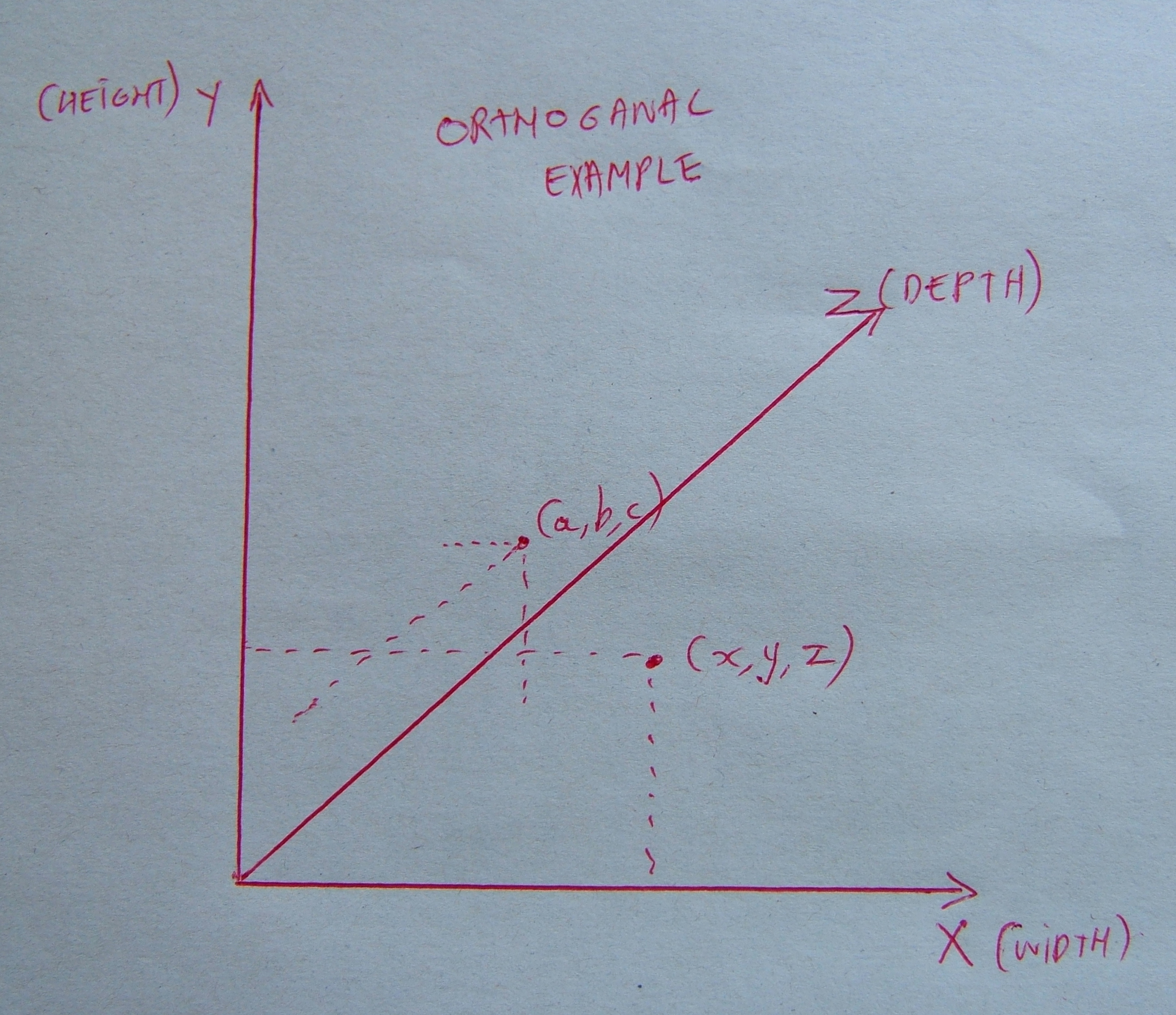
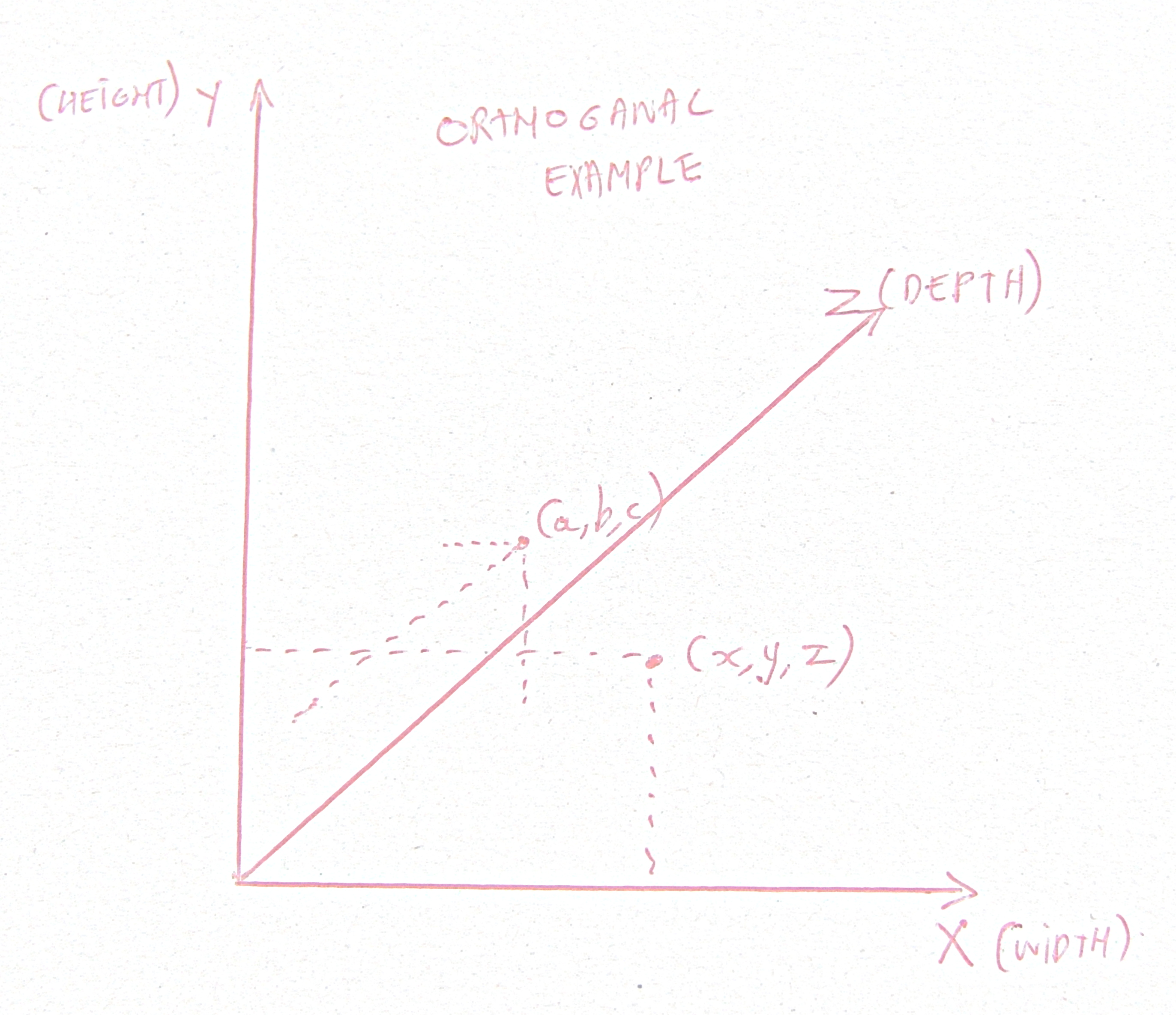
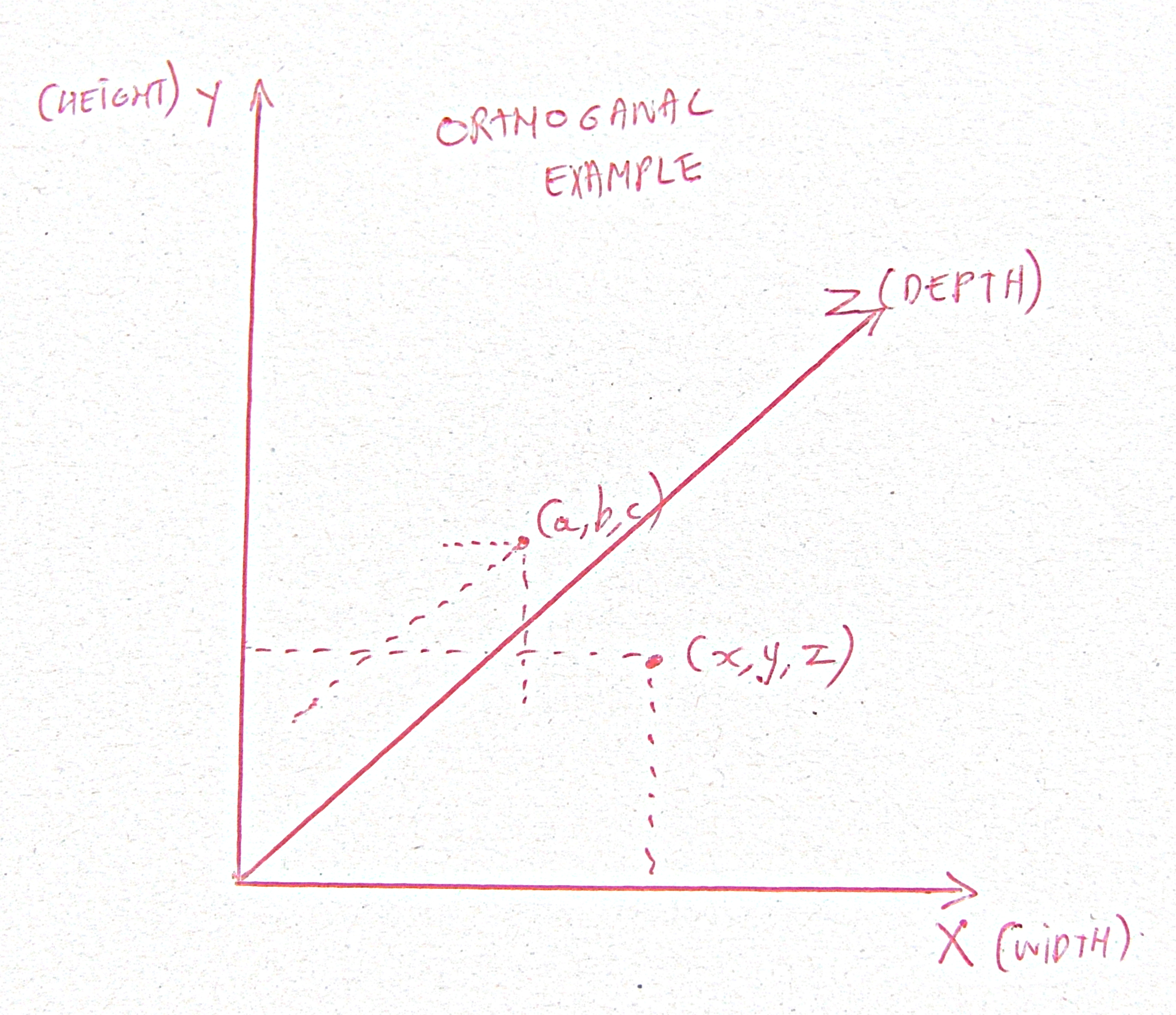
Original Photo

Value Propagation
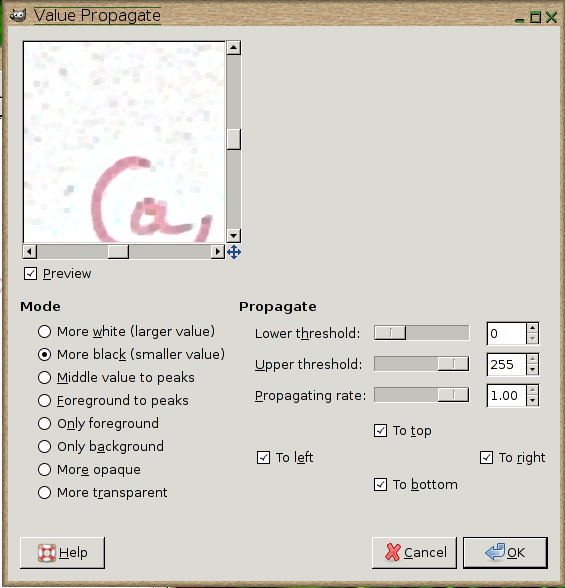
The first step we perform is to propagate dark values. This can be found in the Gimp menu Filters | Distorts | Value Propagate. The settings are shown below

The total image after this step has a more consistent value distribution throughout the writing. This is better visible if we look in detail at the text.

![]() |
![]() |
| Without dark value propagation | with dark value propagation |
Edge detection
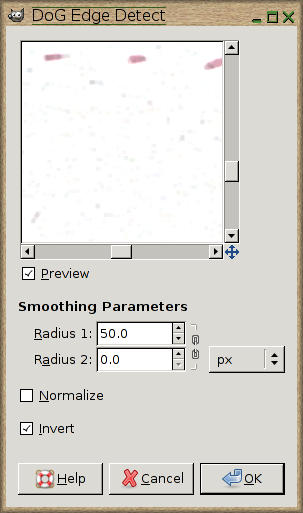
The next step is an edge detection step based on the difference of Gaussians. This edge detection step will effectively make the background (which is currenltky still a bit grey) white. This is done with Gimp in Filters | Edge Detect | Difference of Gaussians. The settings are shown below

The effect on our example is shown below

An obvious effect of this operation is that the image becomes lighter in general
Light Intensitity
To solve this problem we apply an histogram normalization. In gimp this is in Colors | Auto | Normalize. The result:

Removing the speckle
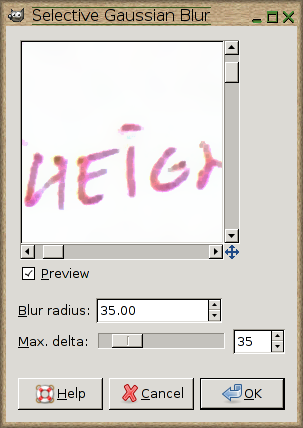
The remaining speckle can be removed with a selective gaussian blur. Filters | Blur | Selective Gaussian Blur.

Beware that this operation can take quite some time and might only be necessary when there is some anyoying speckle present.

Crop, rotate and perspective
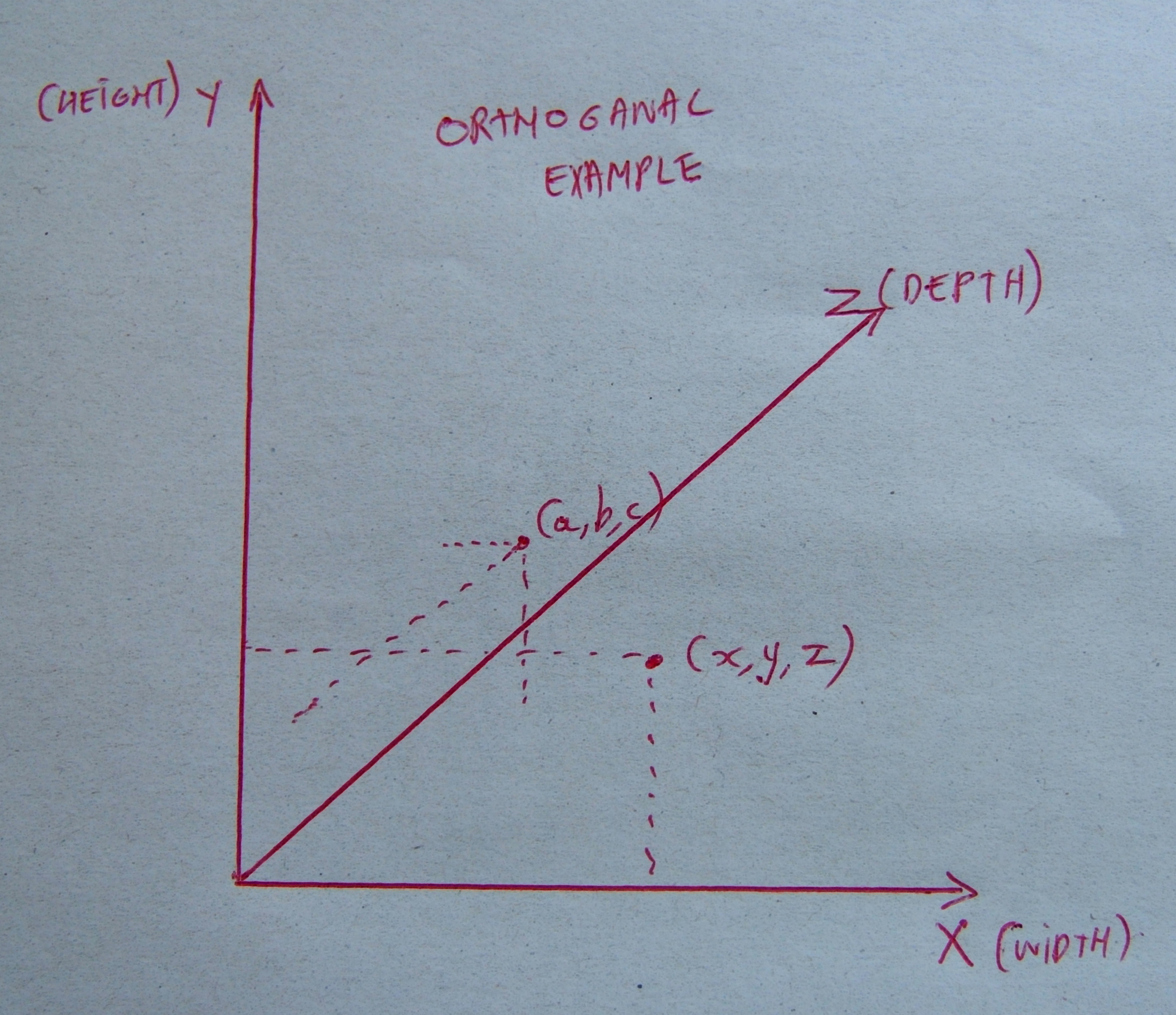
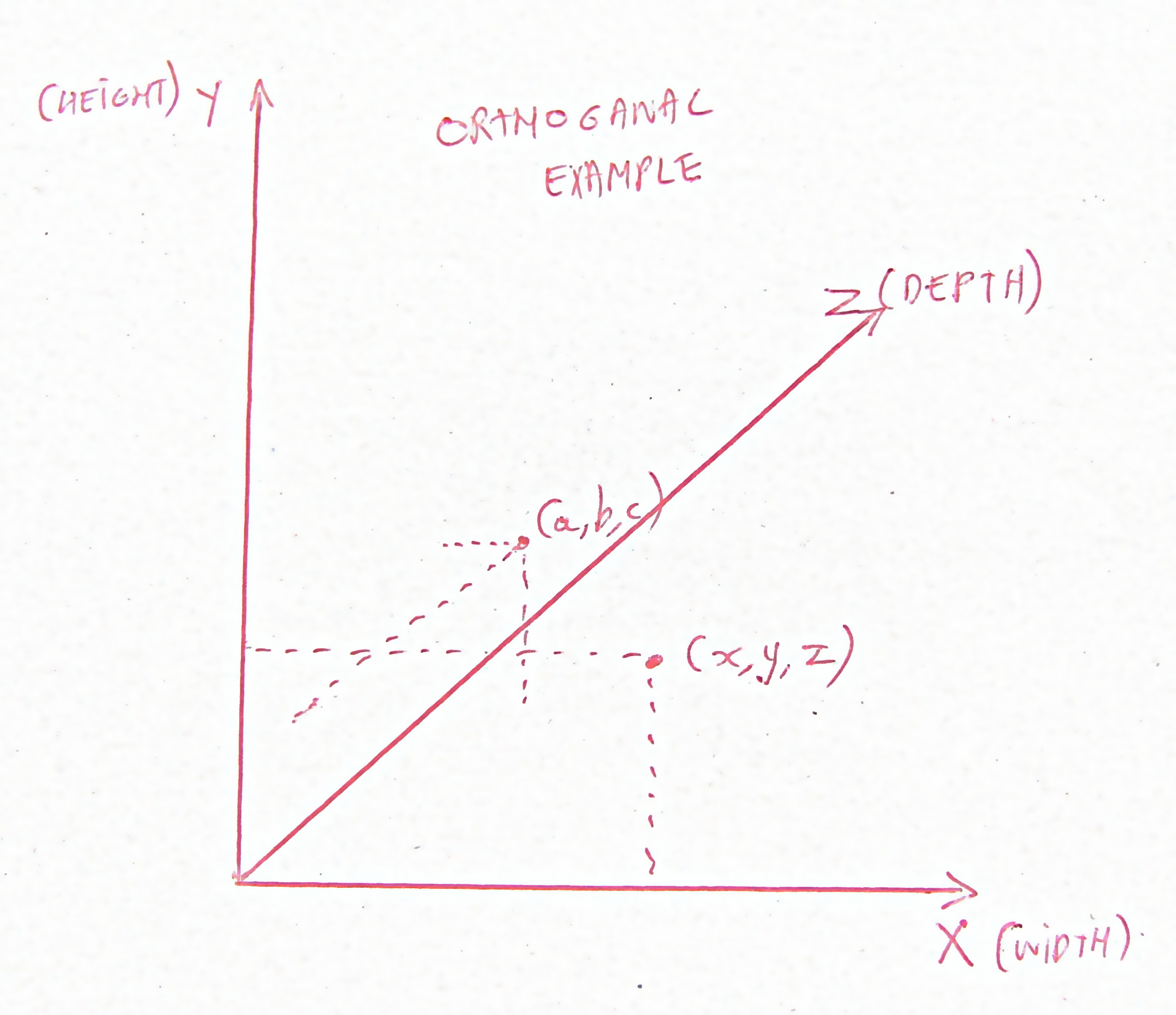
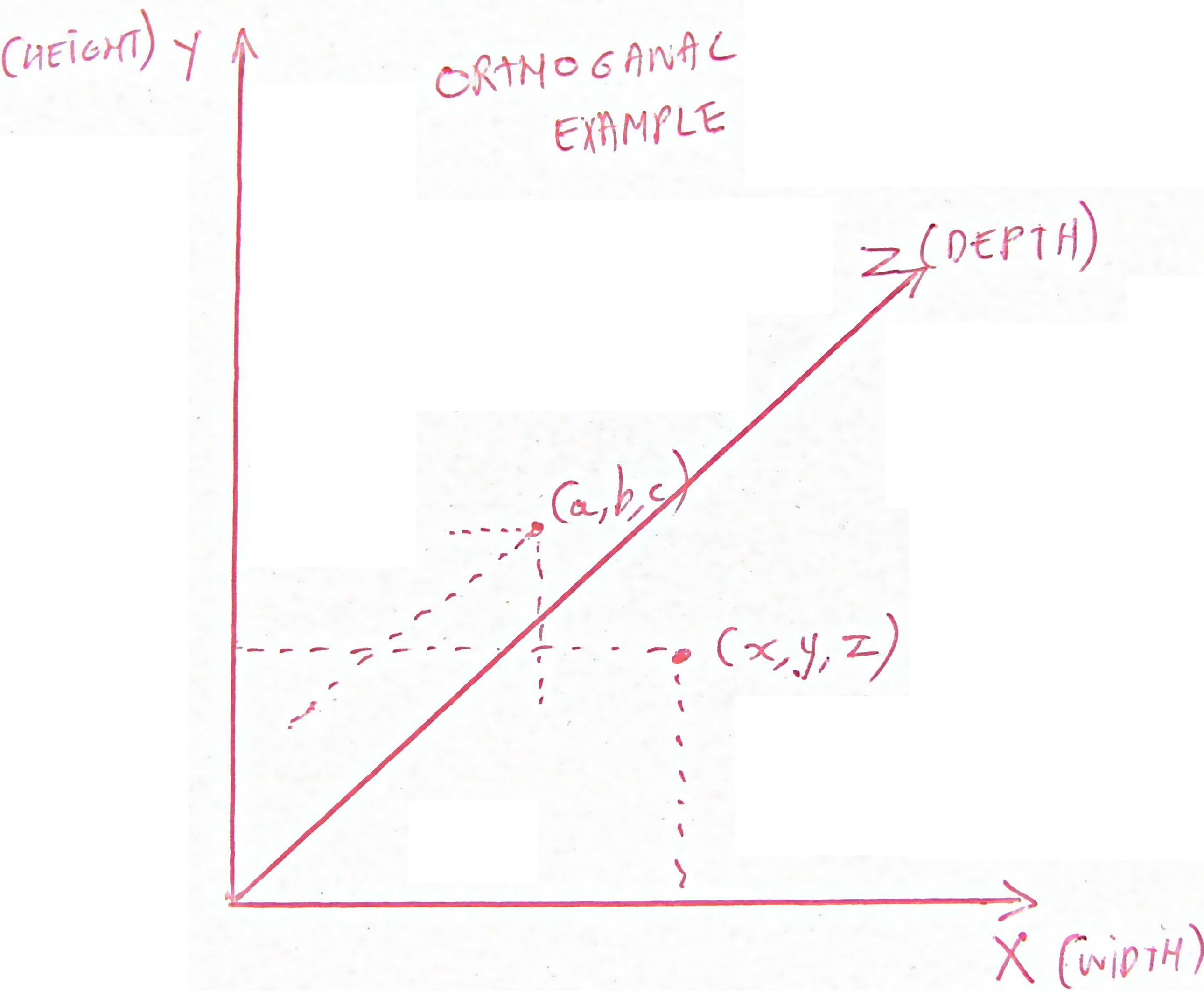
The last step that can be performed is a rotation / cropping to align the image properly. The results are shown below, comparing the original image against the transformed image and then the pre-scaled image for your browser.

The prescaled image looks like

Managing Intelligent People
Two bulletpoints lists. The first taken via http://www.acceleratingfuture.com/michael/works/intelligentfailure.htm. The second from book. The first deals with the reason why intelligent people fail. The second deals with the management of such people.
Why Intelligent People Fail
Content from Sternberg, R. (1994). In search of the human mind. New York: Harcourt Brace.
1. Lack of motivation. A talent is irrelevant if a person is not motivated to use it. Motivation may be external (for example, social approval) or internal (satisfaction from a job well-done, for instance). External sources tend to be transient, while internal sources tend to produce more consistent performance.
2. Lack of impulse control. Habitual impulsiveness gets in the way of optimal performance. Some people do not bring their full intellectual resources to bear on a problem but go with the first solution that pops into their heads.
3. Lack of perserverance and perseveration. Some people give up too easily, while others are unable to stop even when the quest will clearly be fruitless.
4. Using the wrong abilities. People may not be using the right abilities for the tasks in which they are engaged.
5. Inability to translate thought into action. Some people seem buried in thought. They have good ideas but rarely seem able to do anything about them.
6. Lack of product orientation. Some people seem more concerned about the process than the result of activity.
7. Inability to complete tasks. For some people nothing ever draws to a close. Perhaps it’s fear of what they would do next or fear of becoming hopelessly enmeshed in detail.
8. Failure to initiate. Still others are unwilling or unable to initiate a project. It may be indecision or fear of commitment.
9. Fear of failure. People may not reach peak performance because they avoid the really important challenges in life.
10. Procrastination. Some people are unable to act without pressure. They may also look for little things to do in order to put off the big ones.
11. Misattribution of blame. Some people always blame themselves for even the slightest mishap. Some always blame others.
12. Excessive self-pity. Some people spend more time feeling sorry for themselves than expending the effort necessary to overcome the problem.
13. Excessive dependency. Some people expect others to do for them what they ought to be doing themselves.
14. Wallowing in personal difficulties. Some people let their personal difficulties interfere grossly with their work. During the course of life, one can expect some real joys and some real sorrows. Maintaining a proper perspective is often difficult.
15. Distractibility and lack of concentration. Even some very intelligent people have very short attention spans.
16. Spreading oneself too think or too thick. Undertaking too many activities may result in none being completed on time. Undertaking too few can also result in missed opportunities and reduced levels of accomplishment.
17. Inability to delay gratification. Some people reward themselves and are rewarded by others for finishing small tasks, while avoiding bigger tasks that would earn them larger rewards.
18. Inability to see the forest for the trees. Some people become obsessed with details and are either unwilling or unable to see or deal with the larger picture in the projects they undertake.
19. Lack of balance between critical, analytical thinking and creative, synthetic thinking. It is important for people to learn what kind of thinking is expected of them in each situation.
20. Too little or too much self-confidence. Lack of self-confidence can gnaw away at a person’s ability to get things done and become a self-fulfilling prophecy. Conversely, individuals with too much self-confidence may not know when to admit they are wrong or in need of self-improvement.
Zen and the Art of Research Management
John Naughton (Open University, Milton Keynes, England) , Robert W. Taylor (Woodside, California, USA)
1. Hire only the very best people, even if they are cussed. Perhaps especially if they are cussed. Your guiding principle should be to employ people who are smarter than you. One superb researcher is worth dozens of merely good ones.
2. Once you’ve got them, trust them. Do not attempt to micro-manage talented people. Set broad goals and leave them to it. Concentrate your own efforts on strategy and nurturing the environment.
3. Protect your researchers from external interference, whether from company personnel officers, senior executives or security personnel. Your job is to create a supportive and protective space within which they can work.
4. Much of what you will do will fall into the category of absorbing the uncertainty of your researchers.
5. Remember that you are a conductor, not a soloist. The lab is your performance.
6. Do not pay too much attention to ‘relevance’, ‘deliverables’ and other concepts beloved of Senior Management.
7. Remember that creative people are like hearts – they go where they are appreciated. They can be inspired or led, but not managed.
8. Keep the organization chart shallow. Never let the lab grow beyond the point where you cannot fit everyone comfortably in the same room.
9. Make your researchers debate with one another regularly. Let them tear one another’s ideas to pieces. Ensure frank communication among them. Observe the strengths and weaknesses which emerge in the process.
10. Be nice to graduate students. One day they may keep you, even if only as a mascot.
11. Install a world-class coffee machine and provide plenty of free soft drinks.
12. Buy descent chairs. Remember that most computer science research is done sitting down.
13. Institute a ‘toy-budget’, enabling anyone in the lab to buy anything costing less than a specified amount on their own authority. And provide a darkened recovery room for accountants shocked by the discovery of this budget.
14. Pay attention to what goes on in universities. Every significant breakthrough in computing in the last four decades has involved both the university and corporate sectors at some point in its evolution.
15. Remember to initiate and sponsor celebrations when merited.
Using Electric Fence to Debug Selected Allocations
Step 1: change all malloc’s, realloc’s and frees in your software with own versions. E.g: allocate, reallocate, deallocate. Prototypes of such functions can be found in the file common.h
#define array(name,size,type)Â Â Â Â Â Â Â Â Â type*Â name = allocate(size,type)
#define reallocate(thing, size, type) (type*) bpmdj_realloc(thing,sizeof(type)*(size))
#define deallocate(thing) bpmdj_free(thing);void * bpmdj_alloc(int size, char* file, int line);
void * bpmdj_realloc(void* thing, int size);
void  bpmdj_free(void*);
Step 2: modify the library to NOT replace the standard memory operations. The only files needed from the electric fence package are efence.h page.c, efence.c and efence-print.cpp
Step 2.1: modify all references to malloc, calloc, realloc and free in efence.c to efence_malloc, efence_calloc, efence_realloc and efence_free. Make sure that prototypes for these functions are added into efence.h.
void * efence_realloc(void * oldBuffer, size_t newSize)
{
   void *   newBuffer = efence_malloc(newSize);
…
      efence_free(oldBuffer);
…
}void * efence_malloc(size_t size)
{
…
}
void * efence_calloc(size_t nelem, size_t elsize)
{
…
}
Step 2.2: modify the efence_free function to return a boolean. If the freeing was successfull true should be returned. If not because the pointer itself was not within range of the efence allocated memory thenen it should return false. This will later prove to be very usefull to write a generic deallocate function.
{
…
 if ( address == 0 )
   {
     unlock();
     return true;
   }
…
 if ( !slot )
   {
     unlock();
     return false;
   }
   // removed EF_Abort(“efence_free(%a): address not from efence_malloc().”, address);
…
 return true;
}
Step 2.3: the standard efence-print library makes ues of its own printing functions. These can be safely removed because the standard C library functions no longer pose a reentrance thread. Thus, remove printNumber and vprint. Replace all vprint calls with vprintf and include the necessary #include <stdlib.h>
Step 2.4: change efence-print.cpp, efence.cpp, page.cpp, efence.h by putting an #ifdef EFENCE in front and an #endif in the back of the file. This will make it possible to remove the entire EFENCE from compiling.
Step 3: write your own memory functions as declared in step 1. These are straightforward, except for the deallocate function. Here we must differentiate between efence-allocated chunks and an standard-malloced chunks. This can be done as follows.
{
#ifdef EFENCE
if (!efence_free(a))
#endif
free(a);
}void* bpmdj_alloc(int length, char* file, int line)
{
void * result;
assert(length>=0);
#ifdef EFENCE
result = efence_malloc(length);
#else
result = malloc(length);
#endif
if (!result)
printf(“Error: %s(%d): unable to allocate %d bytes \n”,file,line,length);
assert(result);
return result;
}
void* bpmdj_realloc(void* thing, int size)
{
void * result;
assert(size);
#ifdef EFENCE
result = efence_realloc(thing,size);
#else
result = realloc(thing,size);
#endif
assert(result);
return result;
}
This should do the trick. To use it simply put the object files efence.o, page.o, efence-print.o and common.o into your program. When you want checks pass -DEFENCE to the compiler, in the other case simply ommit it. These files can be downloaded here. This should make it possible to debug QT applications easily under linux.

Compiling Tulip for a Debian unstable System with an ATI 3D Card / Fglrx 3D driver
The standard tulip distribution that comes with debian does not work on a 3D fglrx installation. The reason why is not entirely clear (it seems that the linkage to the X window system is faulty). However, recompiling the tulip source solves the problem.
Prereqs:
– an Xserver that uses the fglrx 3D driver. This can be tested with fglrxinfo.
Commands:
apt-get install fglrx-driver-dev
apt-get install libxml2-dev libqt3-mt-dev libqt3-headers libqt4-dev libqt4-core libqt4-gui libqt4-qt3support libqt4-sql qt3-assistant qt3-apps-dev
apt-get source tulip
go into the unzipped tulip source directory and configure the tree with
./configure --with-qt-includes=/usr/include/qt3
make
now everything should run fnie. To install tulip use
make install
/usr/local/bin/tulip
Compiling the Fglrx driver for a Debian unstable system
To compile the fglrx driver for a debian unstable system running a 2.6.18 kernel, which was compiled from kernel.org (so no standard debian kernel).
Prereqs:
– kernel has an agpgart module
– kernel has dri support
– apt-get module-assistant
Commands:
apt-get install fglrx-driver
will load the 8.28.8-4 driver and install it
aticonfig --initial will write the X.org file
apt-get install fglrx-kernel-src
cd /usr/src/modules
rm -r fglrx
cd /usr/src
tar x fglrx.tar.bz2
module-assistant prepare
module-assistant a-i fglrx
then
modprobe agpgart
rmmod radeon (fglrx works only if the radeon driver was unloaded)
modprobe fglrx
Then extend the Xorg.conf file with
Section "Extensions"
Option "Composite" "false" #make DRI work with fglrx.
EndSection
Section “ServerFlags”
Option “AIGLX” “off”
EndSection
Then load the X server and start fglrxinfo. If it contains anything but ATI it didn’t work.
Problems:
To help debug one can use something like:
LIBGL_DEBUG=verbose fglrxinfo
before starting fglrxinfo. In a particular case it printed:
libGL: XF86DRIGetClientDriverName: 8.28.8 fglrx (screen 0)
libGL: OpenDriver: trying /usr/X11R6/lib/modules/dri//fglrx_dri.so
libGL error: dlopen /usr/X11R6/lib/modules/dri//fglrx_dri.so failed
(/usr/X11R6/lib/modules/dri//fglrx_dri.so: cannot open shared object
file: No such file or directory)
libGL error: unable to find driver: fglrx_dri.so
libGL: XF86DRIGetClientDriverName: 8.28.8 fglrx (screen 0)
libGL: OpenDriver: trying /usr/X11R6/lib/modules/dri//fglrx_dri.so
libGL error: dlopen /usr/X11R6/lib/modules/dri//fglrx_dri.so failed
(/usr/X11R6/lib/modules/dri//fglrx_dri.so: cannot open shared object
file: No such file or directory)
libGL error: unable to find driver: fglrx_dri.so
display: :0.0Â screen: 0
OpenGL vendor string: Mesa project: www.mesa3d.org
OpenGL renderer string: Mesa GLX Indirect
OpenGL version string: 1.2 (1.5 Mesa 6.5.1)
which indicated that the wrong library was laoded. Therefore the following two commands resolved this issue:
tuuster:/usr/X11R6/lib/modules# ln -s /usr/lib/xorg/modules/drivers dri
rm dri
tuuster:/usr/X11R6/lib/modules# ln -s /usr/lib/dri .